
Relay Bank Setup Guide - Full Instructions
Purpose: This document is to show you exactly what we require for your Relay account setup in order to receive your POF and funding for your deal.
You will either sign up or login if you already have a Relay account
This account should be setup under the entity that is purchasing the property
You must use the above link for rapid approval and increased wire limits
Step 2: Click “Submit New Application”
Step 3: Fill out your business information exactly as shown below
Type of business: LLC
Legal business name: The name of your purchasing LLC
Industry: Real Estate
Describe the business: I rent out real estate to residential tenants.
Website URL: My business does not have an online presence.
Business Address: The address listed on your business filing
State of incorporation: State entity is in
Date of incorporation: State issued date
Number of employees: Just me + contractors or freelancers
What countries do you operate in: United States of America
Monthly revenue: $1,000 - $5,000
How would you describe the business cash flow: New business with unpredictable cashflow
EIN: **Your IRS issued EIN
**Complete the rest of the person application details and ID + phone verification
Step 4: Wait for email stating the account has been approved or requires additional info.
Step 5: Login and add team member. Click “Team” -> Add new team member
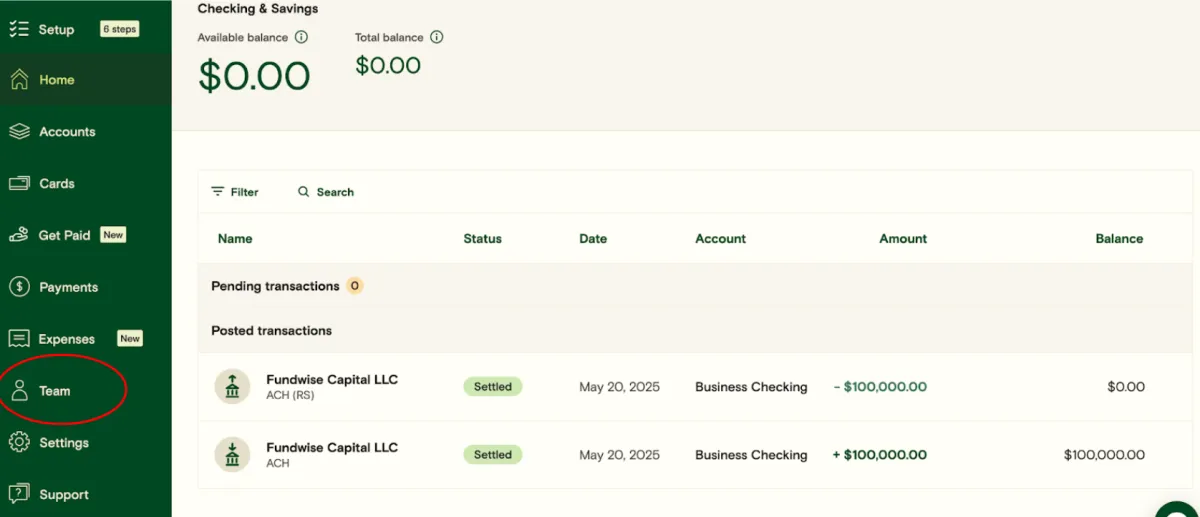
Fill out the information as follows:
work email: [email protected]
permission level: Administrator
Then click "Invite"
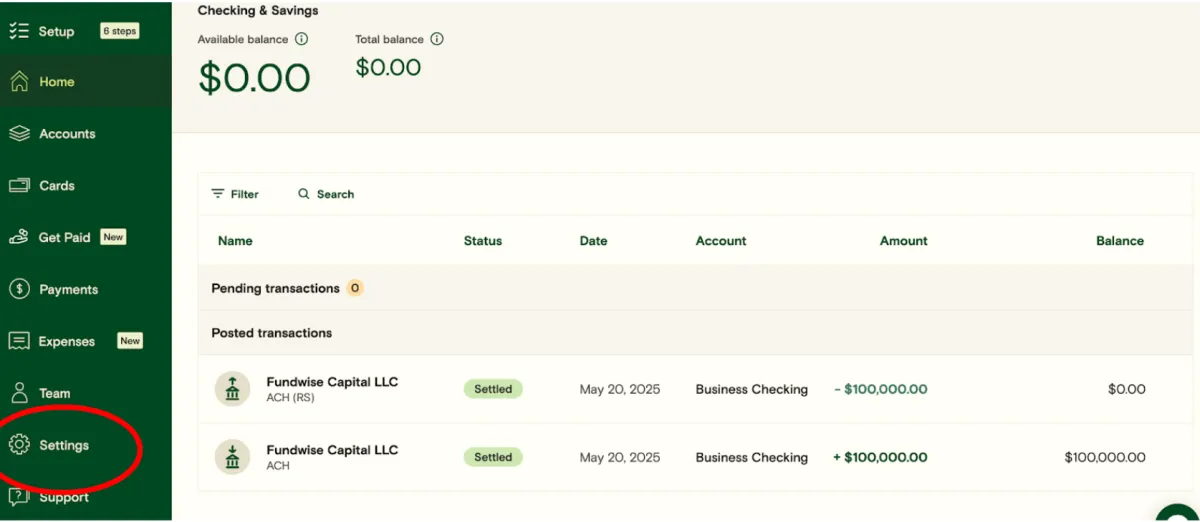
Step 6: Change account phone number
Fill out the information as follows:
Click Settings -> Phone number. Change it to (805) 390-5491
Text us at (805) 390-5491 that you're changing the phone number and we will reply with the code
Once all of the above are complete, we will complete and send a POF bank statement for your lender and prepare for funding your closing!
Copyright 2026 | Infinity Funding Solutions | Terms & Conditions